
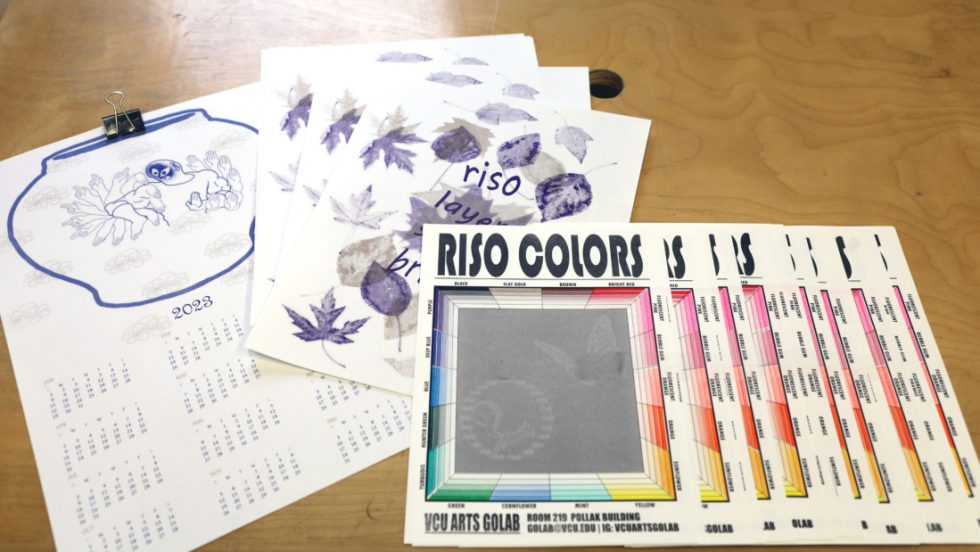
The Risograph is a digital duplicator made for high volume printing. It can print only one color at a time. The original image is scanned by machine and burnished into the master sheet in order to create a stencil for the ink to stamp as your print runs through the machine. The masters can also be sent digitally via a connected computer. The Risograph is self-operated and requires an appointment to be made via our Google Calendar. You must have prior training before being added to the Risograph Calendar. If you have taken a training please email us to be added to the calendar. We offer trainings throughout the semester, so keep an eye on our social media for signups. For Faculty, class trainings can be coordinated with our Production Manager, Cassie Grace.
File Format and General Guidelines
- We have two EZ Risographs. Kenickie is currently a scan only, and Rizzo is attached to a computer, so you may scan or send digital files for print.
- If sending files digitally, you must print from PDF with Adobe Acrobat. Keep your file sizes as small as possible.
- The maximum size sheet both Risographs can hold is 12×18, we recommend designs smaller than 11.5×17.5 for full bleed.
- We highly encourage folks to check out Spectrolite, through Anemone studio for color separation and other useful Risograph how-tos.
- Each layer of ink requires two hours of drying time minimum before it can be run back through the machine for another layer. A hair dryer may be used to help speed the process along. If the print is not dried correctly, it can bleed onto the drum, which may cause future smudging.
Making Your Appointment
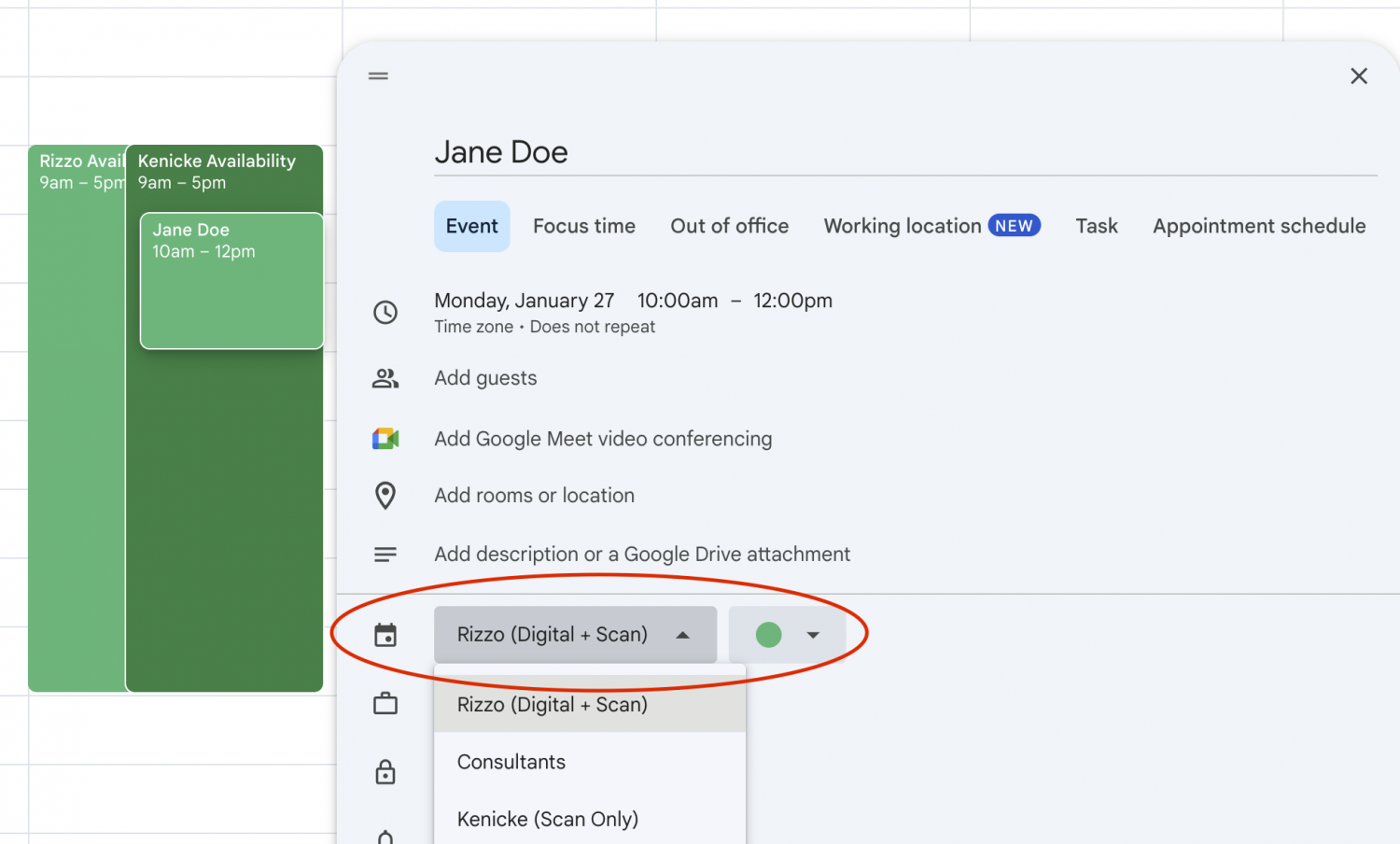
The appointment system is maintained by two separate Google Calendars. When reserving your time slot for the Risograph, please ensure you make the appointment for the correct calendar type. Oftentimes, folks will make appointments on their own calendar, which results in us not seeing your appointment- and your slot may be written over by someone else. Ensure you’re either reserving Kenickie or Rizzo.
Arriving for Your Appointment
When you arrive for your appointment please bring your images to be scanned or digital files, and make sure you get a Risograph docket from a Monitor. Fill out the initial copy and master count displaying on the machine. Check with a Monitor if you don’t see the counters. Failure to fill these numbers in properly on your docket will result in overcharges
The Creative Print Bureau has a variety of stock available for purchase when using the Risograph. Please see a Monitor or Consultant for sheets.
When you have wrapped up your appointment, bring your docket to the Front Desk Consultant to process payment. Failure to pay your Risograph invoices will result in suspended printing privileges.
There is a drying rack to leave your in process works on. Please remove your prints within a week, as we regularly scrap sheets left longer than that.